Unraid btop
Open-source project by Gauthier Painteaux
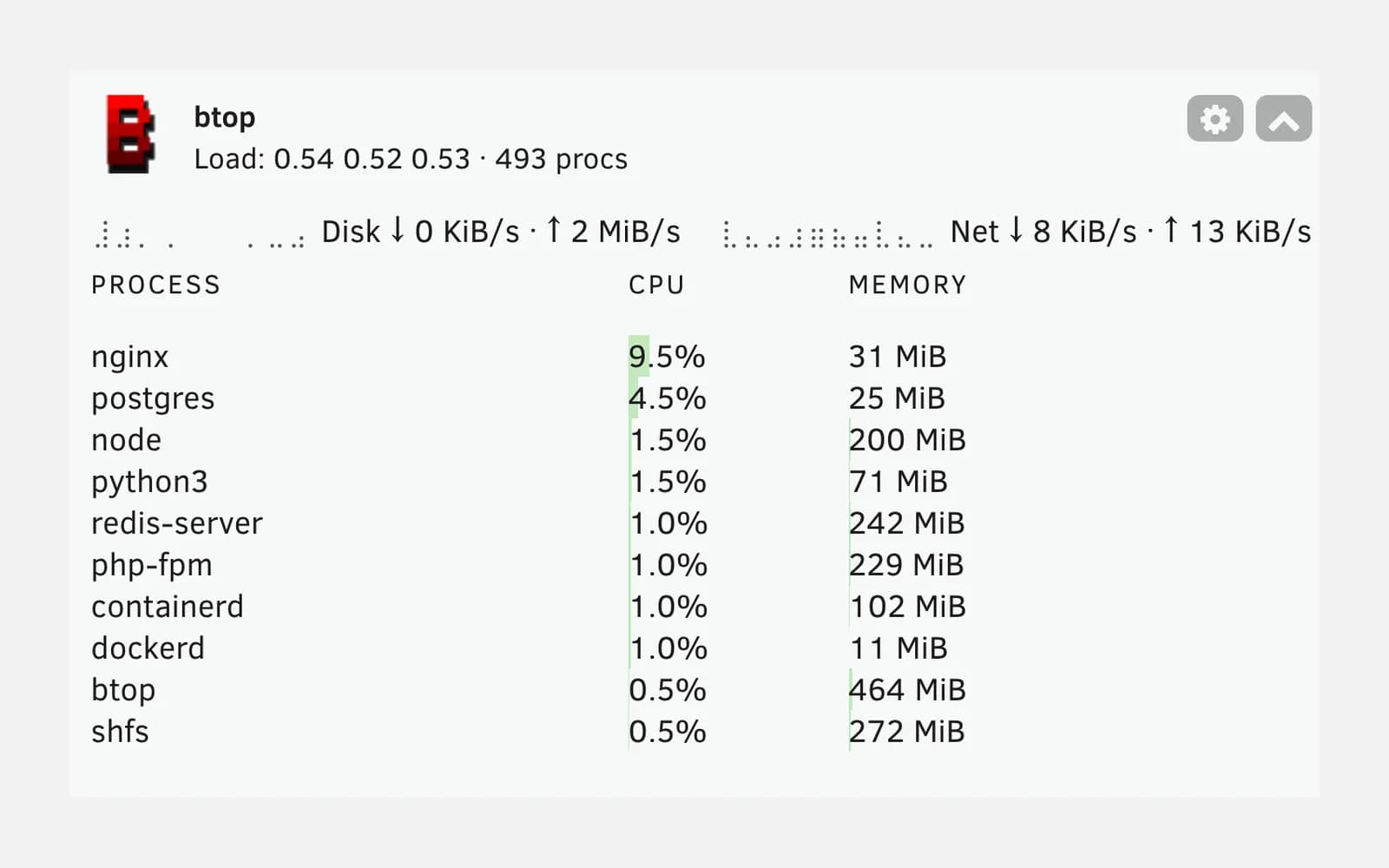
The Unraid dashboard shows disk and container status, but not load average, throughput or the most resource-hungry processes. This plugin installs btop in the terminal and adds that information to a native tile.
- PHP
- Unraid
- CI/CD
- Monitoring
- Version
- 2026.07.23
- Stars
- 1
- License
- MIT
- Updated
- between checks for new btop releases
- 24 h
- Unraid version required (x86_64)
- 6.12+
How the plugin stays up to date
- 1
Detection
CI picks up every btop release.
- 2
Build
The Unraid package is rebuilt.
- 3
Tests
Contents, PHP syntax and a smoke test.
- 4
Publishing
GitHub release and updated manifest.
- 5
Update
Unraid offers the new version.
Unraid btop highlights
btop ready to use
Available over SSH and in Unraid’s web terminal, with settings kept on the USB boot drive across reboots.
Dashboard tile
Load average, CPU temperature, uptime, process count, aggregated disk and network I/O, and the most resource-hungry processes.
Configurable tile
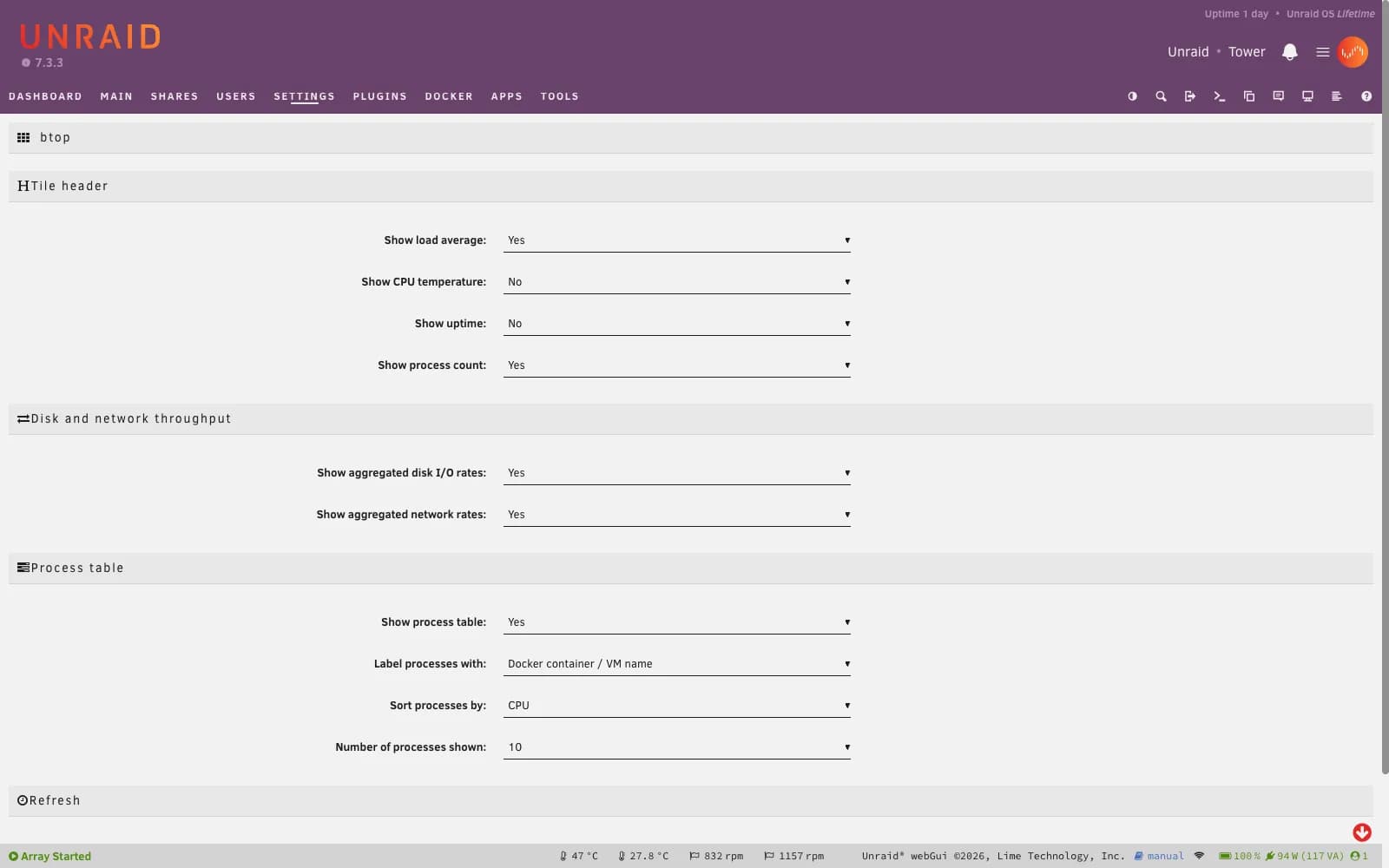
Each section of the tile can be toggled, sorted and refreshed from the plugin settings.
Automatic updates
CI checks for btop releases every day, rebuilds the package, tests it and publishes the plugin update.
Screenshots
Unraid btop tech stack
- PHP
- Unraid settings pages and dashboard tiles are PHP pages served by the webGUI.
- Static btop binary
- The official binary runs on Unraid with no libraries to install.
- Shell
- The build assembles the Unraid package and checks its contents before publishing.
- GitHub Actions
- Daily tracking of btop releases, build, tests and publishing, with no manual steps.
Install Unraid btop
- 1
In Unraid, open Plugins › Install Plugin and paste the plugin URL.
- 2
The tile shows up on the dashboard; its settings are under Settings › User Utilities › btop.
https://raw.githubusercontent.com/Greite/unraid-btop/main/btop.plg