Ravelli Smart Wi-Fi
Open-source project by Gauthier Painteaux
Control your pellet stove from Home Assistant, with no cloud and no extra hardware. The integration talks directly to the stove’s Wi-Fi module on your local network and exposes everything it can do as entities.
- Python
- Home Assistant
- HACS
- Smart home
- Version
- v2026.10.3
- Stars
- 2
- License
- MIT
- Updated
- cloud accounts: everything stays on the local network
- 0
- time schedules you can manage from Home Assistant
- 6
- power levels, just like on the stove
- 1 to 5
- module polling interval
- 10 to 300 s
How Ravelli Smart Wi-Fi works
- 1
Discovery
Home Assistant finds the module on the network.
- 2
Identification
The stove’s board is read and checked.
- 3
Polling
The module is queried at regular intervals.
- 4
Entities
Every value becomes an entity.
- 5
Commands
Checked before sending, never repeated.
Ravelli Smart Wi-Fi highlights
Full thermostat
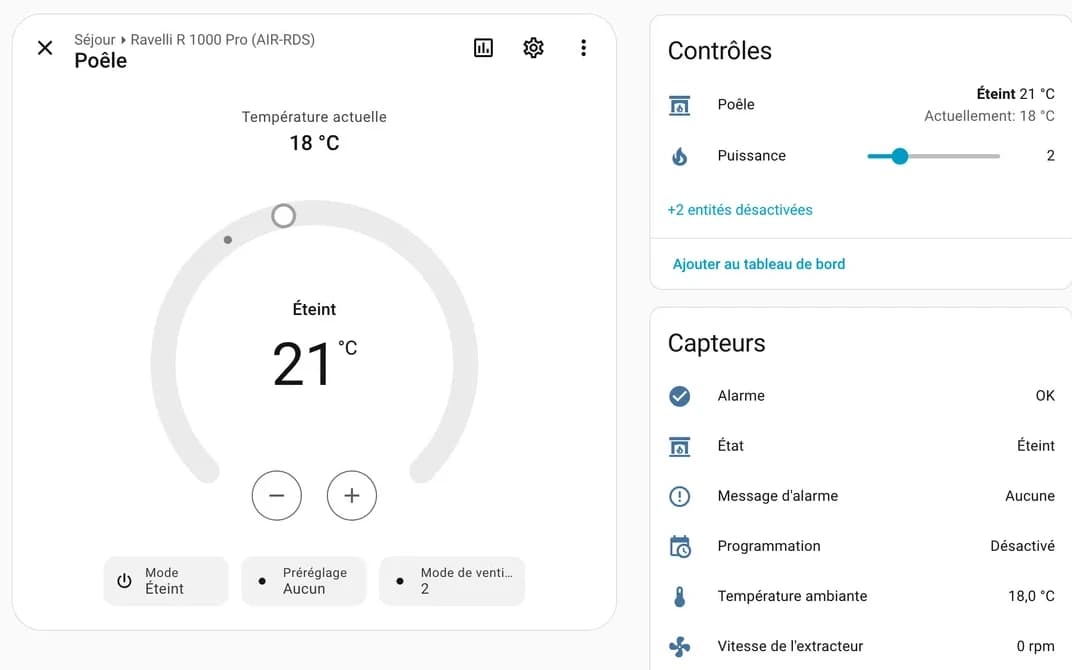
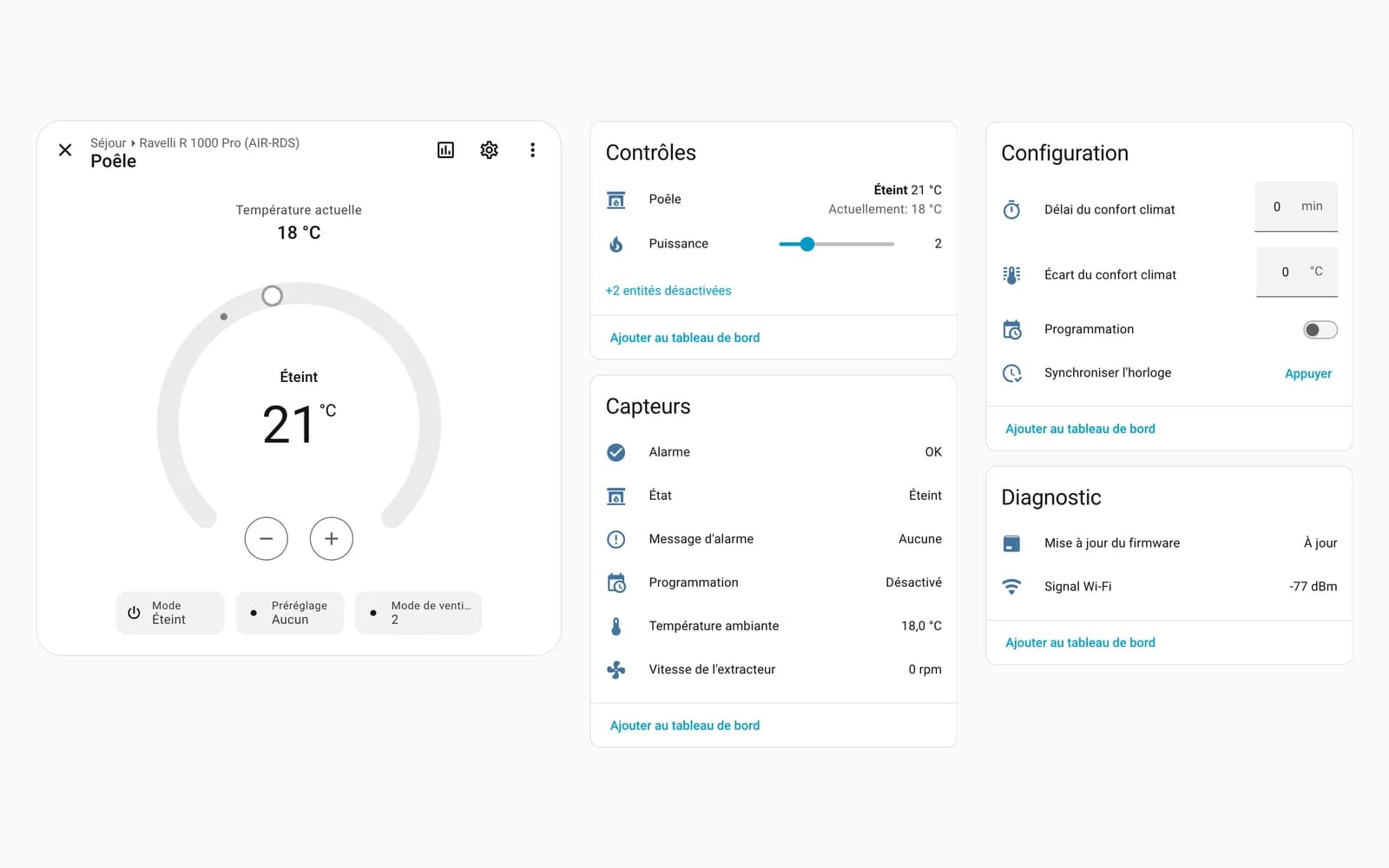
On/off, target temperature, power from 1 to 5 and manual mode from the thermostat card. Tested on a real stove with an AIR-RDS board.
Combustion state and alarms
Ignition, flame, running, final cleaning or eco stop, exhaust fan speed and the stove’s alarm message.
Time schedules
The stove’s six schedules show up in a calendar and can be edited with Home Assistant actions.
No ignition during an alarm
A command is never sent twice, and ignition is refused while an alarm is active.
Screenshots
Ravelli Smart Wi-Fi tech stack
- Python
- The language of Home Assistant integrations, which makes distribution through HACS possible.
- Config flow
- Setup and reconfiguration from the UI, no YAML, with entity history preserved.
- DHCP discovery
- Home Assistant offers the integration as soon as the module appears on the network.
- Module mock
- Tests run against a mock of the module: no stove needed to validate a change.
Install Ravelli Smart Wi-Fi
- 1
Open the repository in HACS, download Ravelli Smart Wi-Fi and restart Home Assistant.
- 2
In Settings › Devices & services, add the Ravelli Smart Wi-Fi integration.
- 3
Choose local network discovery, or enter the module’s address.